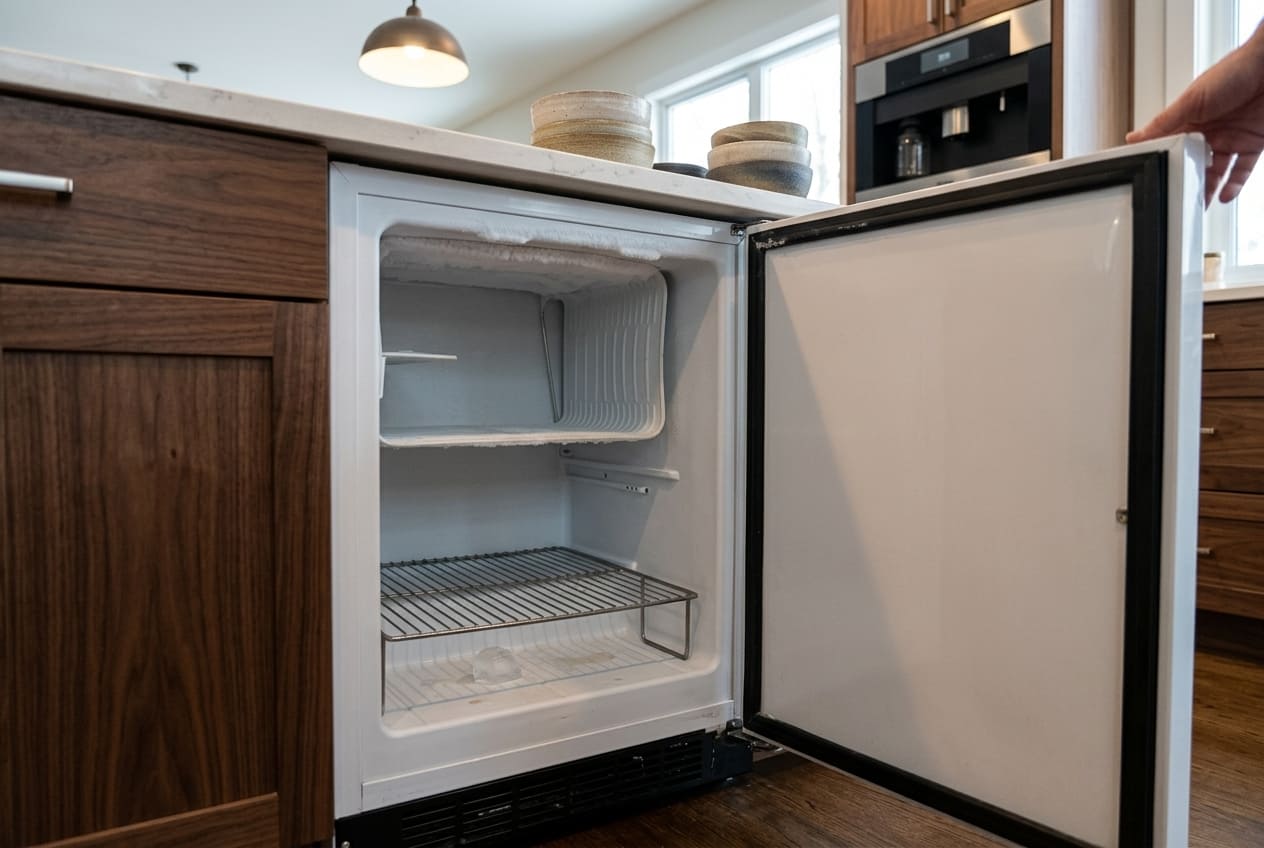
A Marvel freezer running too warm isn’t just an inconvenience — it’s a system telling you something specific is wrong, and the longer that something goes unaddressed, the more the problem compounds. Frozen contents begin to thaw. The compressor runs continuously trying to recover a temperature it can no longer reach. And in many cases, what started as a twenty-dollar fix has turned into a compressor replacement by the time someone finally investigates.
Same symptom turns up on other brands too – start with our guide to Bosch temperature problems.
Marvel’s Intuit Controls system builds in a visible alert for this situation: the Hi alarm, which activates when the internal temperature climbs more than 10°F above the setpoint and holds that elevated reading for longer than one hour. If you’re seeing the Hi alarm on the display, the system has been struggling with a too warm condition for at least that long — possibly longer, if the drift was gradual before it crossed the alarm threshold.
But here’s what many owners don’t realize: the Hi alarm is not the only way a Marvel unit communicates a temperature problem. If the temperature is drifting slowly — climbing two or three degrees above setpoint over several weeks — the unit may never trigger the alarm threshold, but the contents are still being stored at the wrong temperature. For standard frozen food this is a quality concern. For Marvel MS24RFS2 scientific and lab-use units, temperature drift of even a few degrees is a sample integrity issue that warrants immediate diagnosis.
This article gives you a structured, six-point diagnostic checklist for a Marvel freezer too warm problem — from the simplest, most owner-accessible checks to the professional-only territory of thermistor testing and sealed system diagnosis. Work through the checks in order. T
How Marvel's Intuit Controls Manage Temperature — and What the Hi Alarm Tells You
Before running through the checklist, it helps to understand what’s actually happening when a Marvel freezer is too warm and the control system is responding to it.
Marvel’s Intuit Controls set a target temperature. The thermistor sensor — a small temperature-sensing resistor positioned inside the cabinet — continuously monitors internal temperature and sends readings to the control board. The control board uses those readings to cycle the compressor on and off, maintaining the cabinet within a narrow band around the setpoint. When the thermistor reading drifts more than 10°F above the setpoint for more than one hour, the Intuit Controls board triggers the Hi alarm: the display flashes the alarm code, the LED indicator activates, and an audible alert sounds at intervals.
This is the system working correctly — alerting you to a condition that exceeds its normal operating tolerance. What the alarm doesn’t tell you is why the temperature went too high. That’s what the checklist below establishes.
One important nuance: Marvel units have two normal stabilization windows that should not be confused with a malfunction:
- After initial loading: Loading a fully stocked freezer with room-temperature or cold contents raises the internal cabinet temperature temporarily. Marvel recommends allowing up to 48 hours for the unit to stabilize to its setpoint after loading. A Hi alarm appearing during this window is expected.
- After a setpoint change: Dialing the setpoint significantly colder triggers a stabilization period of up to 24 hours as the unit pulls the cabinet down to the new target temperature. Wait through this window before concluding there’s a fault.
The table below clarifies what is normal behavior versus what indicates a problem:
Situation | Normal Behavior | Problem Indicator |
After initial loading | Temperature above setpoint for up to 48 hrs; Hi alarm possible | Temperature still above setpoint after 48 hrs with door kept closed |
After setpoint change | Temperature above new setpoint for up to 24 hrs | Temperature never reaches new setpoint after 24 hrs |
After door opening | Slight temperature rise; recovery within 1–2 hrs | Temperature doesn’t recover to setpoint after 2 hrs with door closed |
During normal operation | Unit cycles on/off; display holds within 1–2°F of setpoint | Unit runs continuously; display consistently reads above setpoint |
Hi alarm display | Clears when temperature returns to normal range | Recurs repeatedly over days — alarm keeps returning |
For the full Hi alarm diagnostic procedure and how the alarm threshold is calculated in Marvel’s Intuit Controls, see our Marvel freezer error codes guide. The checklist below is focused on identifying the physical root cause of the too warm condition that triggered it.
Six Checks to Run When Your Marvel Freezer Is Too Warm
A Marvel freezer not cooling properly has a defined set of root causes. All six checks below correspond to a documented failure mode. Work through them in order — each check rules out one category of cause and narrows the field for the next.
Check 1: External Heat Sources and Ambient Temperature
This check costs nothing and takes two minutes. Look at where the unit is positioned.
Marvel specifies that its undercounter freezers are designed to operate in ambient temperatures between 40°F (4°C) and 86°F (30°C). If the ambient temperature surrounding the unit regularly exceeds 86°F, the unit is operating outside its designed range — and no amount of cleaning or component repair will overcome a placement problem. The unit simply cannot shed heat fast enough into the surrounding environment to maintain its setpoint.
In Atlanta, this is not a hypothetical concern. During a Georgia summer, interior spaces without air conditioning can reach and exceed 90°F in the afternoon, particularly in garages, utility rooms, or sun-facing kitchen spaces. A Marvel freezer too warm in July that was running perfectly in February may simply be experiencing the Atlanta summer, not a component failure. Checking whether the room is exceeding 86°F is the right first step — before cleaning anything or calling anyone.
Check also for localized heat sources near the unit: an oven directly adjacent, a dishwasher that vents heat toward the freezer, a radiator panel, direct afternoon sunlight hitting the unit’s exterior panels. Any of these can drive the unit’s heat load beyond what the condenser system can manage, causing a Marvel freezer running too warm condition that a service call won’t fix.
The resolution is a placement change or improved room cooling — not a repair. If the unit is in a cabinet enclosure, confirm the enclosure is adequately ventilated. Heat trapped around the unit in a closed cabinet has the same effect as placing the unit in a hot room.
Check 2: Normal Stabilization vs. Actual Malfunction
Before continuing down the checklist, confirm the unit isn’t simply in a normal stabilization window.
If the Hi alarm appeared within 24–48 hours of loading the unit, changing the setpoint, or restoring power after an outage, wait through the stabilization window with the door closed before concluding there’s a fault. This single check prevents a significant percentage of unnecessary service calls.
For the wider picture on this brand, see what we’ve seen with Marvel ice maker not working.
If the unit has been running at normal setpoint, without a recent loading or setpoint change event, and is still reading too warm — move to Check 3.
Check 3: Frequent or Extended Door Openings
Every time the door opens, warm ambient air enters the cabinet. The unit then has to cycle the compressor to re-cool from whatever temperature spike that air introduced. A single brief door opening has a minor impact. But a pattern of frequent or extended door openings — opening and leaving the door ajar for 30 seconds while rummaging, a party situation with multiple accesses per hour, a door left open accidentally — can push the temperature high enough to trigger the Hi alarm and result in a Marvel freezer too warm reading on the display.
The test is straightforward: if the temperature reads high but recovers to within setpoint within one to two hours of the door staying closed, door-opening frequency is the cause. Reduce access frequency and allow the unit to recover before evaluating further.
If the temperature does not recover to within 2°F of the setpoint within two hours of uninterrupted door closure, something else is wrong. Move to Check 4.
Check 4: Door Seal Inspection
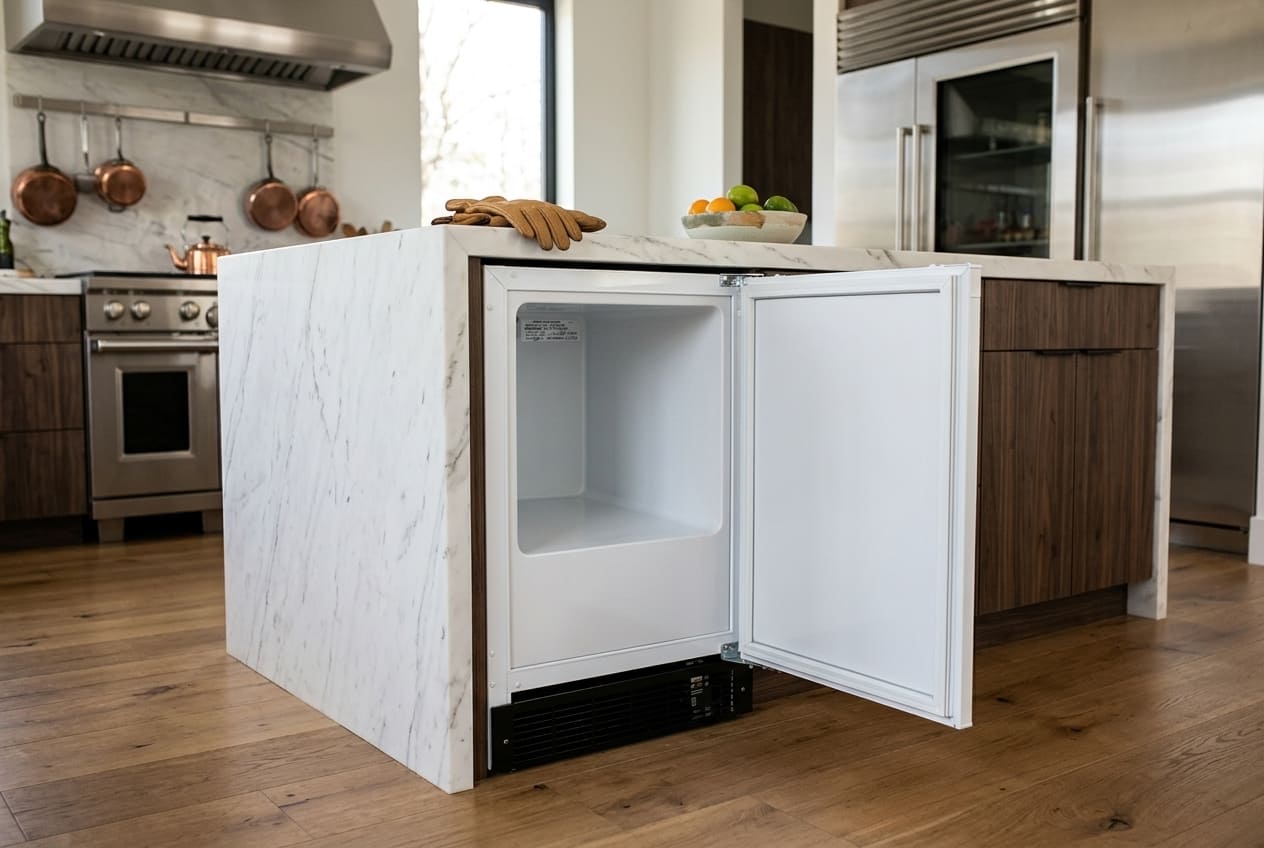
A failing door seal is one of the most consistent causes of a chronic Marvel freezer too warm condition, and it’s one of the easiest causes to confirm or rule out with a simple physical test.
When the door gasket loses its magnetic grip — because the material has hardened with age, because a section of the embedded magnet strip has weakened, or because the gasket has been torn or compressed flat in a section — warm ambient air seeps continuously into the cabinet through that gap. The compressor responds by running longer cycles, but it’s fighting a constant warm air intrusion that prevents it from holding setpoint. The result is a Marvel unit running too warm that worsens progressively as the seal deteriorates further.
Run the paper test: close the door on a strip of paper and try to pull it out. Do this at six to eight points around the full perimeter of the door — top, bottom, hinge side, handle side, and corners. Consistent resistance around the full perimeter means the seal is working. Easy pull-out at any point means that section of the gasket is not sealing.
A failing door seal often appears alongside the Do alarm — the door ajar indicator — particularly if the gasket failure is significant enough that the door sensor interprets the inadequate seal as the door being partially open. If you’re seeing both the Do alarm and the Hi alarm simultaneously, a compromised door seal is the almost-certain connection between them. The door seal is allowing enough warm air ingress to both trip the ajar sensor and raise the cabinet temperature above the Hi alarm threshold.
For the full door seal diagnostic, gasket replacement guidance, and hinge alignment procedure, see our Marvel freezer door won’t seal guide.
Check 5: Condenser Coils and the cL Code
If Checks 1 through 4 haven’t identified the cause, the condenser is the next investigation.
The condenser coils are where the refrigeration cycle sheds heat from the system into the surrounding air. When those coils are coated with a layer of dust, lint, and airborne debris — which accumulates over months of normal operation — their ability to dissipate heat drops significantly. The compressor compensates by running longer and harder, but eventually it reaches the point where it simply cannot shed enough heat to maintain the setpoint. The cabinet temperature begins to rise. The Hi alarm fires. The unit runs continuously without recovering. You have a Marvel freezer not cooling problem that isn’t actually a refrigeration system failure — it’s a maintenance issue.
Two diagnostic signals confirm this is the cause:
- The CL maintenance code — Marvel’s Intuit Controls track condenser cleaning intervals and display the CL code when the interval has elapsed. If you’ve been dismissing the CL code without cleaning the coils, the condenser is almost certainly coated. If the code never appeared on your unit, it may have been cleared by a previous owner without performing the actual cleaning — check whether the grille area at the front bottom of the unit feels unusually warm to the touch.
- The unit runs continuously — a compressor that never turns off is fighting a load it can’t overcome. Dirty condenser coils are the most common reason for this pattern on Marvel undercounter units.
The detailed cleaning procedure for resetting the cL code is given below, and the full cL code diagnostic is in our Marvel freezer error codes guide. Note that minimum ventilation clearance of 3–6 inches at the sides and rear is required for freestanding Marvel undercounter installations. Cleaning the coils on a unit that’s boxed in without adequate clearance will provide only partial improvement — the placement issue needs to be addressed in parallel.
Check 6: Temperature Sensor (Thermistor) Fault — and When to Stop and Call a Technician
If all five checks above look normal — the ambient temperature is within spec, the unit has stabilized, door openings aren’t excessive, the gasket tests clean, the condenser coils have been cleaned and the cL code reset — but the unit is still running too warm, the problem has moved into territory that isn’t owner-accessible.
The thermistor is a small sensor inside the cabinet that reads internal temperature and reports it to the control board. When the thermistor fails — either going open-circuit, short-circuit, or drifting outside its calibrated resistance range — the control board receives incorrect temperature data. The board may believe the cabinet is colder than it actually is and reduce compressor runtime accordingly, allowing the actual temperature to rise while the display shows a normal reading. Or the board may receive no signal at all and enter a failsafe mode.
The signal that this is happening: the E1 or E2 error code appearing on the display alongside the too warm condition. E1 indicates an open or short circuit in the main cabinet temperature sensor. E2 indicates a fault in the evaporator sensor. Both directly compromise the control board’s ability to regulate temperature correctly, which is why an E1 or E2 code appearing at the same time as a Marvel freezer not cooling complaint is almost always the diagnostic answer. For a full explanation of what E1 and E2 mean and what happens to the system when the thermistor signal is lost, see our Marvel freezer error codes guide.
Confirming a thermistor fault requires a multimeter test of the sensor’s resistance value — typically 10k–20k ohms at room temperature for Marvel thermistors, though the exact specification varies by model. Accessing the thermistor behind the interior panels, testing it properly, and replacing it with the correct component for the specific model is professional work. If you’ve reached Check 6, stop the DIY diagnostic process and call a technician.
Condenser Maintenance: Step-by-Step — How to Clean Your Marvel Condenser Coils and Reset the cL Code
Condenser cleaning is the single most impactful owner-accessible maintenance task for a Marvel freezer running too warm. This is the procedure — follow it in order.
What you’ll need: a soft-bristle brush or dedicated condenser coil brush, a vacuum cleaner with a brush attachment, a flashlight, and a small flathead screwdriver for the grille clips (on some models).
- Step 1 — Unplug the unit. Always unplug before working near the condenser area. Do not skip this step.
- Step 2 — Remove the front kick plate or lower grille. On most Marvel undercounter models, the condenser is accessible from the front by removing the lower decorative grille or kick plate. This panel typically clips or snaps into place — apply gentle forward pressure at the bottom edge to release the clips. Set the grille aside.
- Step 3 — Locate the condenser coils. With the grille removed, the condenser coil assembly is visible at the base of the unit. Use the flashlight to assess how much dust and debris has accumulated. On a heavily neglected condenser, you may see a visible gray mat of lint coating the coil fins.
- Step 4 — Brush the coil surface. Use the condenser coil brush in a straight, up-and-down motion along the coil fins. Do not brush horizontally across the fins — this bends the delicate aluminum fins and reduces cooling efficiency. Work the full surface area of the coil face systematically.
- Step 5 — Vacuum the debris. Use the vacuum’s brush attachment to pull loosened debris out of the coil area and from the surrounding base space. Pay attention to the condenser fan blade area — debris accumulates on the blade edges and creates the same airflow restriction as dirty coils. Wipe the fan blades with a dry cloth if accessible.
- Step 6 — Replace the grille and reconnect power. Snap or clip the grille back into position and plug the unit back in. Allow the unit to run for 4–6 hours before evaluating whether the temperature problem has resolved. The unit will need time to cool the cabinet back down after the cleaning.
- Step 7 — Reset the cL counter. The cL maintenance counter tracks time since the last cleaning and needs to be reset manually after each cleaning. The reset procedure on Marvel Intuit Controls units: press SET seven times until “Cnd” appears on the display, then hold SET until the counter resets to zero. If the cL code returns within an unusually short interval after cleaning, the condenser is accumulating debris faster than expected — check ventilation clearances around the unit and confirm the unit isn’t positioned in a dusty or high-lint environment.
Thermistor and Sealed System: Repairs That Need a Professional
When the six-point checklist points to either a thermistor fault or an underlying sealed system issue, the diagnostic work shifts to professional territory. Here’s what each of those diagnoses involves — and why they require a technician.
Thermistor Replacement
A thermistor that tests outside its normal resistance range is causing the control board to receive incorrect temperature data. The repair involves accessing the sensor behind the interior panels of the unit, testing its resistance with a calibrated multimeter at a known ambient temperature, and replacing it if it reads out of specification. The replacement itself isn’t technically complex — the sensor is a small resistor on a short wire lead — but accessing it correctly without cracking the interior liner requires knowing the specific panel removal sequence for the model. Thermistor replacements on Marvel undercounter units are a standard repair for any technician familiar with the platform.
The E1 or E2 error code is your signal that the thermistor is the issue. If either code is appearing alongside a Marvel freezer too warm complaint, that combination is the diagnosis — you don’t need to work through the rest of the checklist.
Sealed System Issues and Compressor Diagnosis
If the condenser is clean, the thermistor tests within spec, and the unit still isn’t cooling properly, the problem is in the sealed refrigeration system — specifically low refrigerant or compressor inefficiency.
A compressor that runs continuously but can’t pull the cabinet temperature down to setpoint despite clean coils, a working thermistor, and an intact door seal is a compressor under stress. The most common explanation is refrigerant loss — a slow leak from a fitting or a hairline crack in the sealed system that has allowed refrigerant to escape over months. Without adequate refrigerant, the compressor runs but the refrigeration cycle can’t transfer heat efficiently, and the Marvel freezer keeps running too warm regardless of how long the compressor cycles.
Diagnosing a refrigerant issue requires measuring system pressures with a professional gauge set. Recharging the refrigerant requires EPA certification — this is not a DIY repair under any circumstances, and any technician performing this work should be able to confirm their EPA certification if asked. Appliance Repair Master is EPA certified and equipped for sealed system diagnosis and refrigerant handling on Marvel undercounter units throughout Atlanta and Georgia.
Preventing Temperature Problems: A Seasonal Checklist
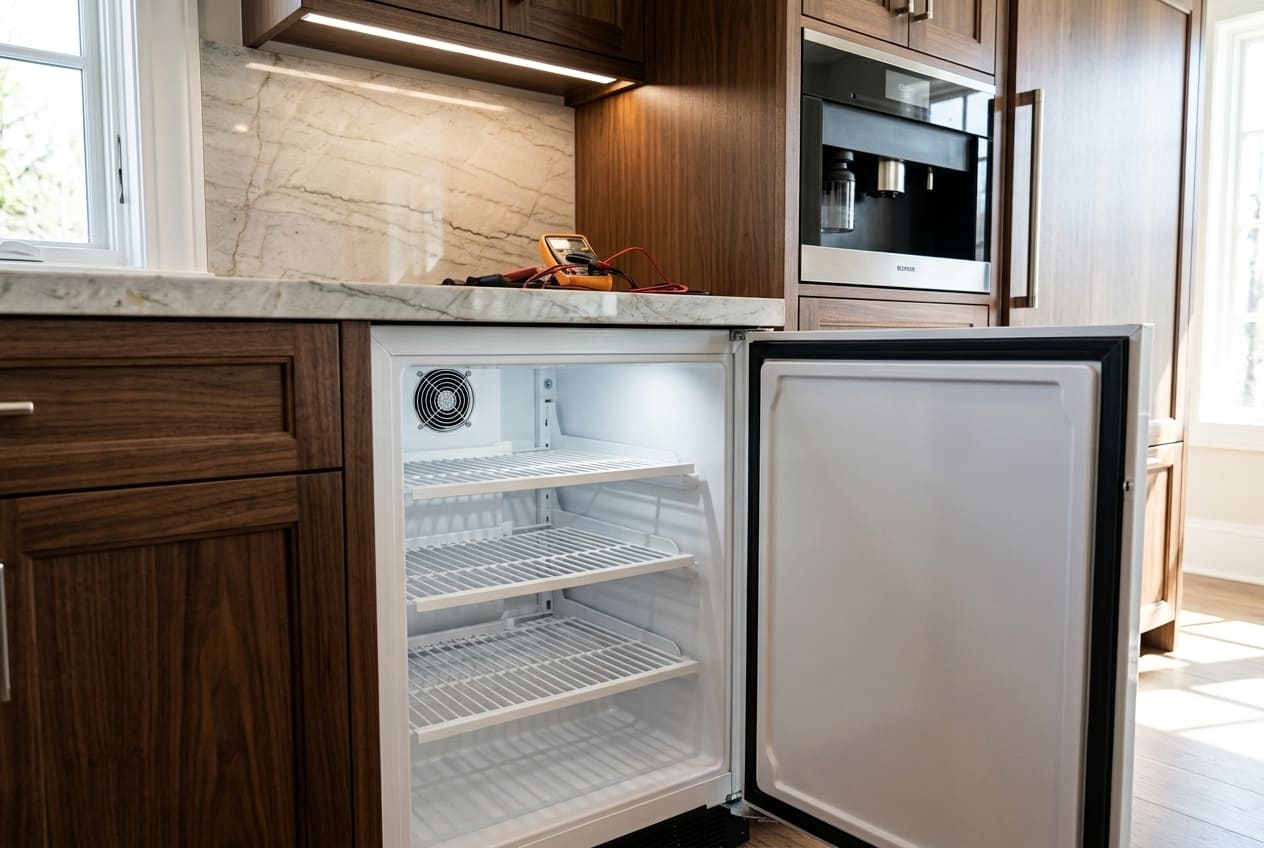
A Marvel freezer too warm is almost always the end result of a maintenance need that built up gradually. Four seasonal habits prevent most temperature problems before they start:
- Spring — Clean the condenser before the Atlanta heat arrives. Georgia summers push ambient temperatures higher than most other climates in the country, and they start earlier than you might expect. Clean the condenser coils in April or early May — before the ambient temperature in your kitchen, garage, or utility room begins climbing. A clean condenser handles summer heat load; a dirty one doesn’t. Reset the cL counter after each cleaning.
- Summer — Confirm ambient temperature stays within the 86°F (30°C) limit. In Atlanta, this means keeping the space where the unit is installed air-conditioned. A unit in an unconditioned garage or a sunny utility room without AC is operating outside its specified ambient range from June through September. If this is your installation situation, that’s the reason the unit struggles in summer — not a component failure. Improving room cooling resolves it.
- Fall — Inspect the door seal before the holiday loading season. If you’re going to be opening and loading the freezer more frequently through November and December, do the paper test on the gasket in October. A seal that’s marginal in normal use becomes clearly inadequate under heavy access frequency. Catching a failing gasket before holiday season prevents a Hi alarm situation in the middle of a dinner party.
- Year-round — Never dismiss the cL code when it appears. The cL code is not a nuisance alert — it is the single most effective maintenance reminder the Intuit Controls system provides. It’s telling you the condenser cleaning interval has elapsed and the coils need attention. Clearing the code without performing the cleaning resets the counter but doesn’t address the actual dust load. A Marvel freezer not cooling properly in summer is very often the direct consequence of a cL code that was dismissed three months earlier.
Conclusion
The six-check diagnostic flow in this article has a deliberate sequence, and following it in order matters. Start with placement and ambient temperature — a Marvel freezer running too warm in a hot Atlanta summer room is a placement problem, not a repair problem. Confirm the unit isn’t in a normal stabilization window. Rule out door-opening frequency as the immediate cause. Test the door seal. Clean the condenser and reset the cL code. Only after all five of those checks come back clean does the problem move into thermistor or sealed system territory.
Here’s the important reassurance that gets lost in the worst-case spiral: the majority of Marvel freezer too warm complaints are resolved at either Check 4 (door seal) or Check 5 (condenser cleaning). Compressor failure is the exception, not the rule. A unit that is running too warm is most likely dealing with a dirty condenser or a compromised gasket — both of which are straightforward repairs once identified. Don’t assume the worst before you’ve confirmed the basics.
The Atlanta summer context is worth taking seriously every year. Georgia heat and humidity create real ambient challenges for any undercounter refrigeration unit. Condenser cleaning frequency in Atlanta may need to be higher than the unit’s default interval suggests — particularly in homes with pets, carpeting, or dusty utility room installations. A spring cleaning before the heat arrives is the single habit that prevents more temperature problems in this climate than any other maintenance action.
If the Hi alarm is appearing alongside an E1 or E2 code, the thermistor diagnosis is clear and professional repair is the right next step. For Atlanta homeowners with a Marvel freezer not cooling that needs hands-on diagnosis, Appliance Repair Master is your local specialist — same or next day appointments available across the metro area and throughout Georgia.
Related guides
FAQ
1. I just cleaned the condenser coils on my Marvel, but the unit is still running too warm. What should I check next?
After condenser cleaning, move through the remaining checklist in order. First, do the paper test on the door seal at six to eight points around the full perimeter — a gasket that’s weak in one section will allow enough warm air ingress to keep the unit from holding setpoint, even with a clean condenser. Second, check ventilation clearances — if the unit is built in with less than three inches of clearance on the sides or rear, the cleaning will only help partially, because the heat the condenser is now shedding more efficiently has nowhere to go. If both of those check out and the unit is still too warm, the thermistor is the next diagnostic target — look for an E1 or E2 code on the display and call a technician for sensor testing.
2. My Marvel freezer is running too warm — but only in summer. Is that a problem with the unit or with my house?
Both, potentially — and it’s a legitimate distinction to make. Marvel specifies an upper ambient temperature limit of 86°F (30°C). If the space where the unit is installed exceeds that limit during Atlanta summers, the unit is operating outside its design parameters. In that scenario, the unit isn’t malfunctioning — it’s being placed in conditions it wasn’t designed for. The fix is improving room cooling (air conditioning, ventilation), not servicing the unit. However, if the room temperature stays below 86°F and the unit still runs too warm in summer, the summer heat load is exposing an underlying maintenance issue — typically dirty condenser coils that are manageable in cooler months but insufficient in peak summer. Condenser cleaning before summer, combined with confirming ventilation clearances, resolves this pattern in the majority of cases.
3. My Marvel freezer is on a dual-zone model and only one zone is too warm. Is that different from a single-zone temperature problem?
Yes — and it’s an important distinction to mention when you call a technician. Zone-specific temperature problems on dual-zone Marvel models often point to the temperature sensor (thermistor) for that specific zone, rather than a whole-system issue. On dual-zone units, E2 can indicate a fault in the evaporator sensor for the affected zone. A damper or airflow issue between the two zones can also cause one zone to run warmer than the other without affecting the entire system. Giving a technician the specific detail — “only the freezer zone is too warm” or “only the upper zone is too warm” — narrows the diagnosis significantly and typically makes the repair faster.
4. My Marvel freezer temperature is too warm, but no alarm codes are showing on the display. How is that possible?
The Hi alarm only triggers after the temperature has been more than 10°F above setpoint for more than one hour. If the temperature is drifting slowly — two to four degrees above setpoint over a long period — it may never cross the threshold that triggers the alarm, but it’s still storing contents at the wrong temperature. A door seal that has a small gap, or a condenser that’s moderately dirty rather than severely coated, can cause this slow drift pattern without alarming. The diagnostic approach is the same — work through the six-check checklist above — but the absence of an alarm shouldn’t reassure you that the unit is performing correctly. Use an independent thermometer inside the cabinet to verify the actual storage temperature against the setpoint.
5. Can I reset my Marvel's control board to fix a temperature problem, and how do I do it?
A soft reset — unplugging the unit for five minutes, then reconnecting power — can clear temporary control board errors and reset the Hi alarm display if the temperature has already recovered. This is always a reasonable first step and costs nothing. However, a reset does not fix the underlying cause of the too warm condition. If the unit was running too warm because of a dirty condenser, a failing door seal, or a thermistor fault, those physical causes will still be present after the reset, and the temperature problem — and the Hi alarm — will return. A reset confirms whether the issue was a transient control board glitch (alarm doesn’t return) or a physical component problem (alarm returns within 24–48 hours). If the alarm returns, the six-check diagnostic process above is the correct next step.